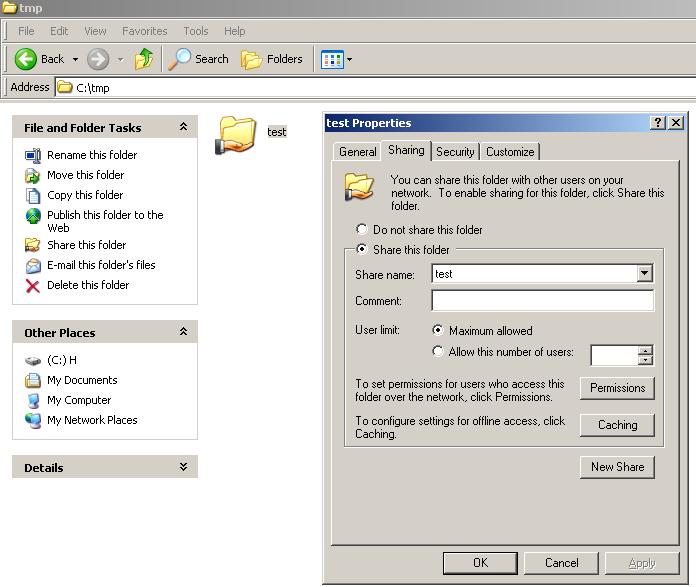
1. Create a directory in Windows, share it and give full permission:
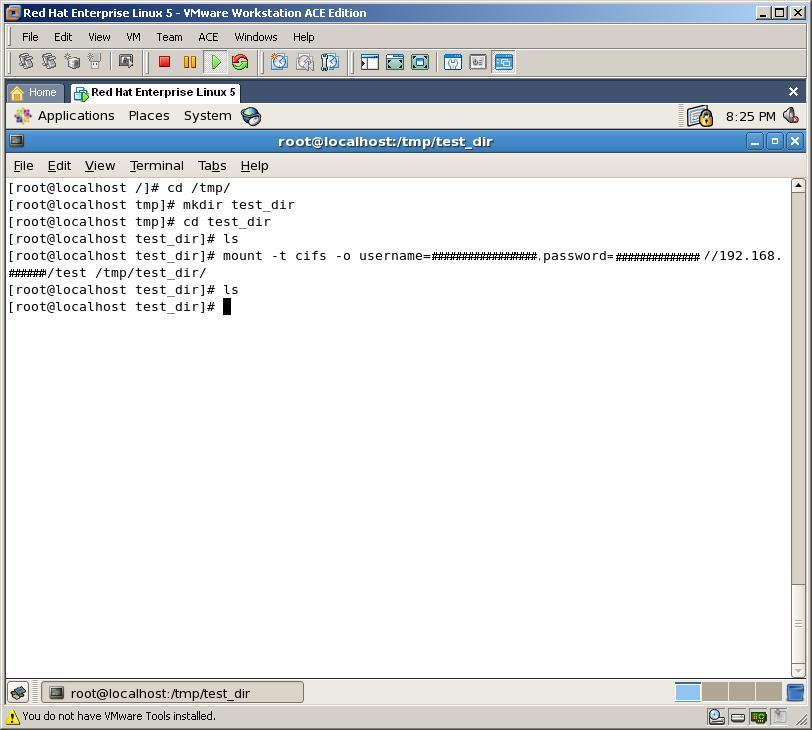
2. Create new directory in /tmp directory on Linux, name it to “test_dir” and mount shared Windows directory into that directory by running below code:
mount -t cifs -o username=#####,password=###### //192.168.##.##/test /tmp/test_dir
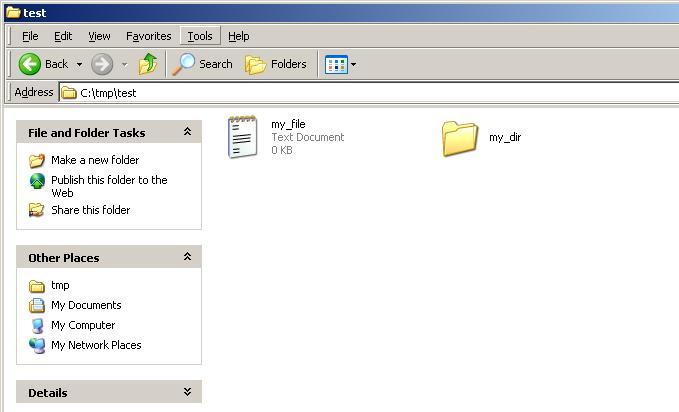
3. Now, by creating new file and folder in Windows directory, we can get them from Linux box. Let’s create a file and a directory in Windows folder
4. At last, let’s check it from Linux, whether we can see the file and the directory or not
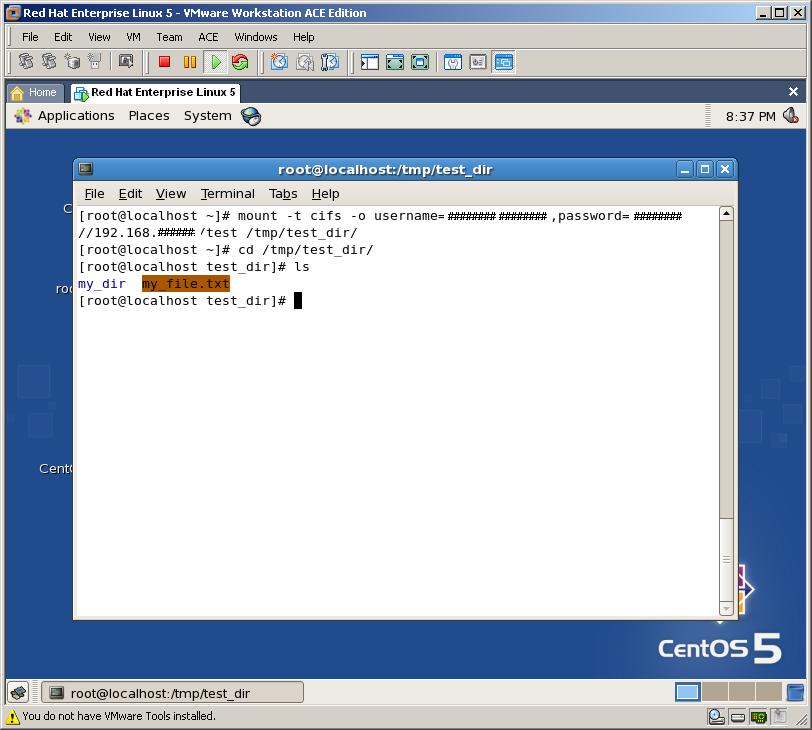
As you can see, we can mount any Windows folder in Linux with very easy steps

